![varsome-new.png]](https://docs.varsome.com/hs-fs/hubfs/varsome-new.png?height=40&name=varsome-new.png)
When it comes to reporting, in addition to the options provided by the “Analysis Actions”, VarSome Clinical offers users the option to generate a report of specific variants in PDF format or a variant list export in Excel spreadsheet format.
To create an Excel spreadsheet, you can follow these steps:
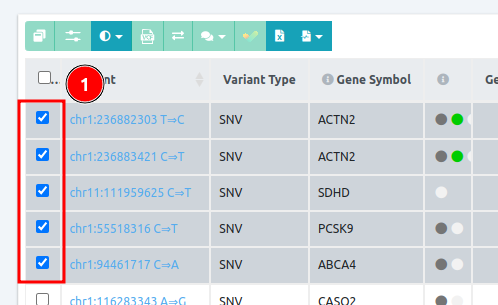
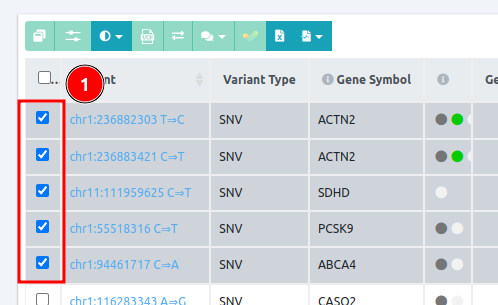
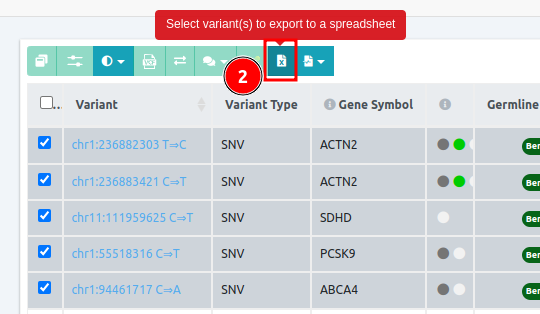
- On the Variant Table page, you can either select one variant at a time just by clicking on it or you can select multiple variants at once (mass selection) by holding Ctrl and clicking on each variant you wish to include to your list.
- Then, you can click on “Select variant(s) to export to a Spreadsheet” for the variant(s) to be included in the Spreadsheet.
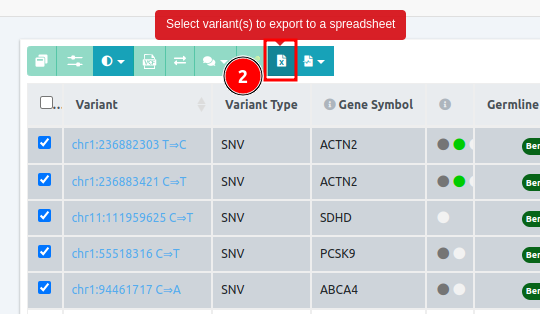
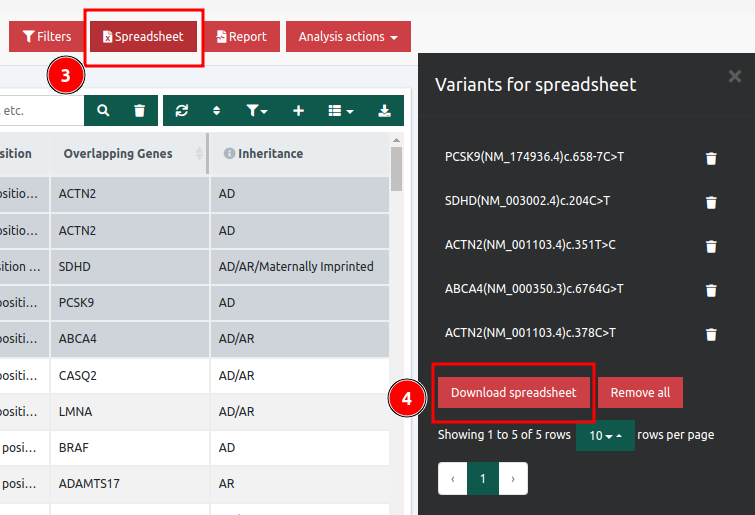
- After that, you can click the Spreadsheet button to create the Excel file, and then the Download spreadsheet to create the file
Example of a spreadsheet

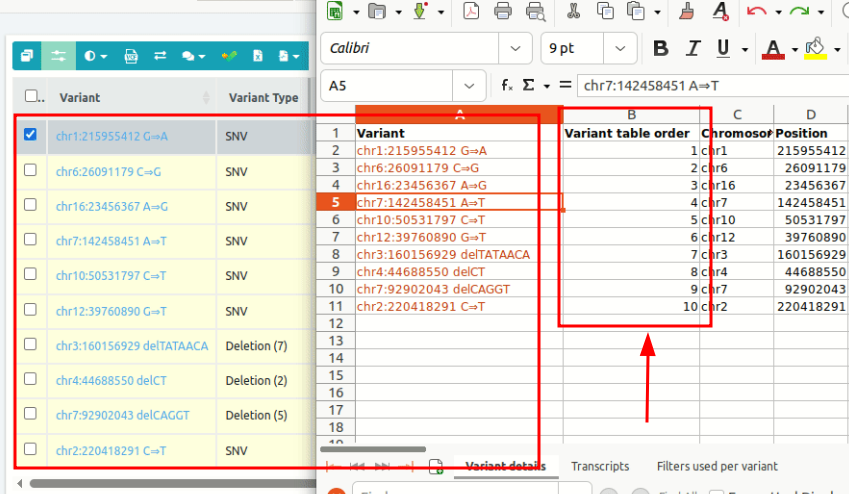
A new column called Variant table order has been added to the Spreadsheet (.xlsx) file of the main analyses and VarSome Picks sub-analyses. By sorting this column from smallest to largest, the order of the variants in the .xlsx file will match the order displayed in the analysis table.
Before sorting the column
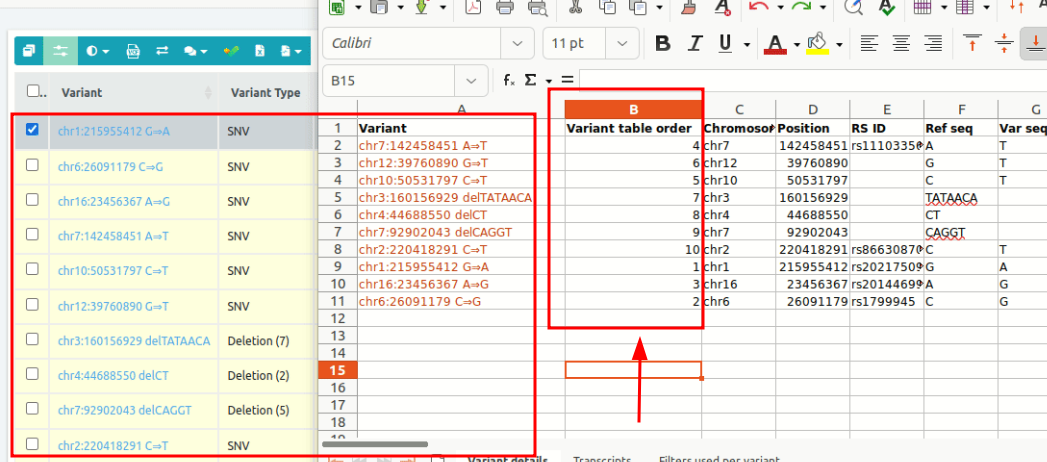
After sorting the column