![varsome-new.png]](https://docs.varsome.com/hs-fs/hubfs/varsome-new.png?height=40&name=varsome-new.png)
By operating as a programmatic proxy over VarSome’s rules-based germline classifier, VarSome Lighthouse orchestrates data from over 150 integrated genomic databases, in-silico predictors, and clinical sources into a single, cohesive, report-ready narrative. Unlike generic literature summarization tools, VarSome Lighthouse is built with deterministic safety controls and strict clinical terminology guardrails to ensure high scientific accuracy and completely eliminate AI hallucinations in data-scarce scenarios.
VarSome Lighthouse is currently only available for VarSome Premium users therefore it is strictly a Research Use Only (RUO) tool and it is not available on VarSome Clinical.
Key Features
- Holistic database orchestration: Automatically synthesizes complex evidence, including ACMG-AMP classification criteria, community query patterns, predictive computational scores (e.g., CADD, REVEL), and functional literature.
- Deterministic hallucination safeguard (zero-token callback): To ensure clinical safety, Lighthouse evaluates the data density of a variant before generating text. If a variant lacks sufficient clinical footprint (e.g., an uncharacterized deep intronic variant), the system deterministically aborts the AI generation and displays an "Insufficient Data" message. This guarantees that the AI never invents unsupported clinical claims.
- Somatic context awareness: While primarily a germline tool, Lighthouse cross-references queries against a curated list of the top 100 known somatic driver mutations (e.g., BRAF p.Val600Glu). If a prominent somatic hotspot is queried in a germline context, the AI appends a clear diagnostic warning to redirect the user's interpretive focus.
- Multilingual accessibility: Users can instantly translate complex genomic summaries into 7 different languages. To maintain scientific rigor, translation is governed by an internal clinical glossary that prevents the mistranslation of standardized genomic acronyms and nomenclature (such as "gnomAD", "ACMG", or "LOF").
How to Use VarSome Lighthouse
VarSome Lighthouse is integrated directly into the queried variant result page. Here's a step by step guide to make your summary:
Step 1: Locate the VarSome Lighthouse widget
Navigate to any variant page within VarSome. The Lighthouse summary component is prominently displayed near the top of the variant annotation results, alongside the standard ACMG classification verdict.
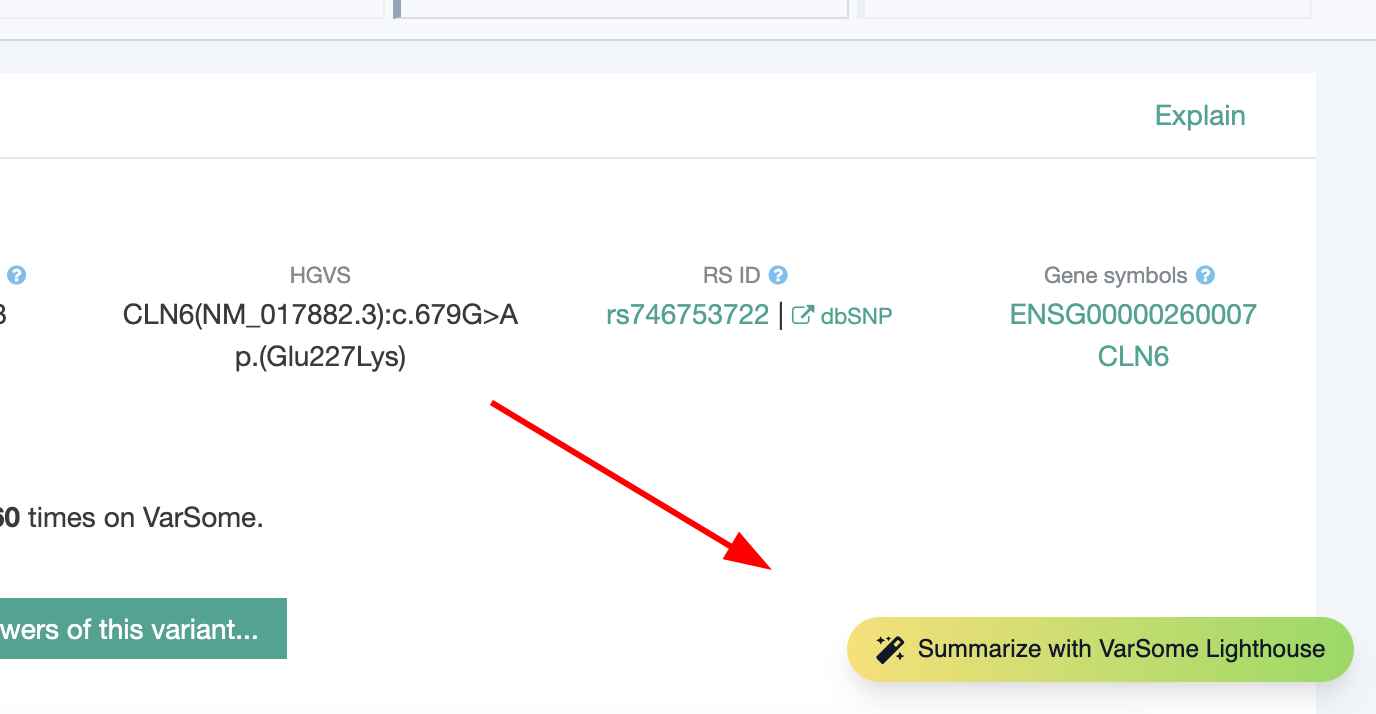
Step 2: Generate the summary
Click the Summarize with VarSome Lighthouse button. The AI will process the variant's underlying data payload (including population frequencies, splicing impact, and conservation scores) and return a structured paragraph detailing the variant's clinical significance.
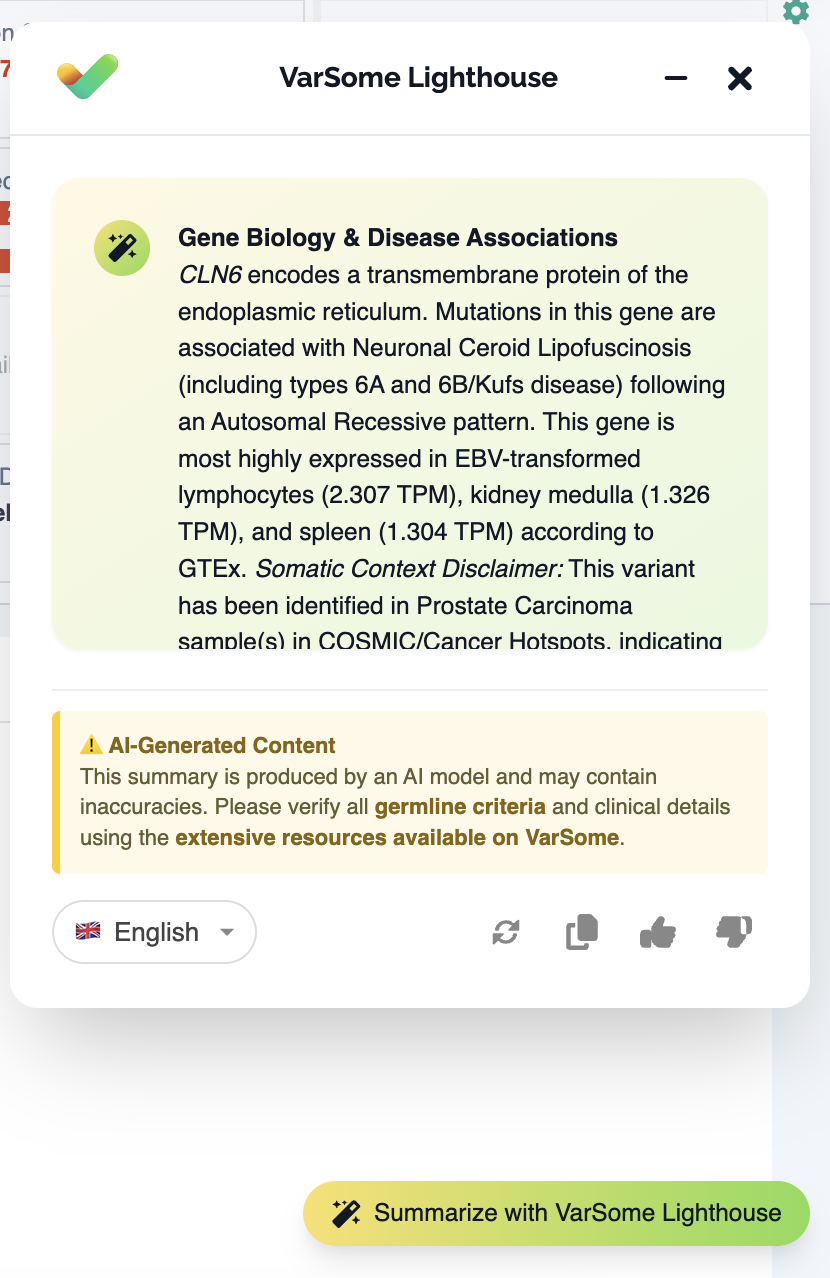
A comprehensive, report-like narrative is then displayed, along with options to minimize, close, redo, copy to clipboard, like and dislike.
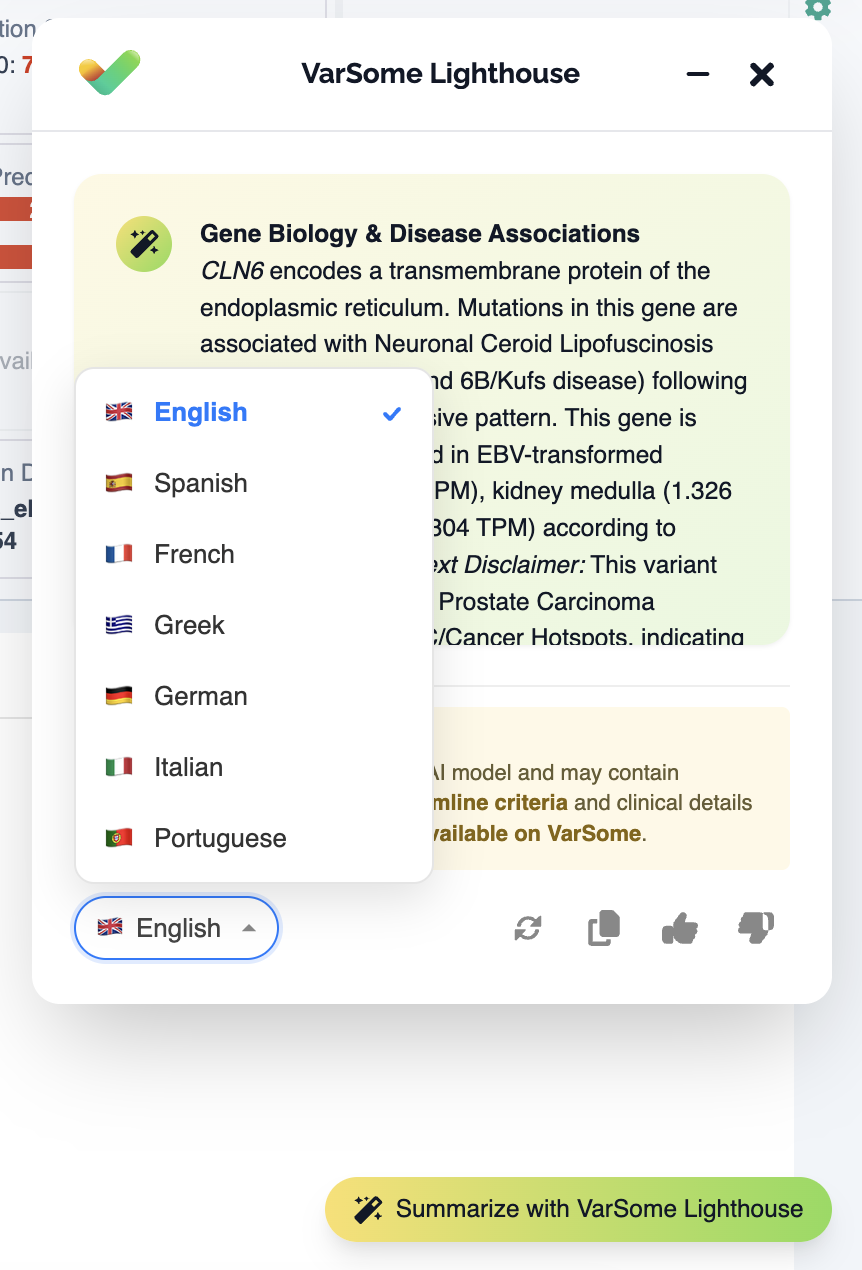
Step 3: Select your preferred language (optional)
If you require the summary in a language other than English, use the language dropdown menu located within the widget. The text will instantly update while preserving all exact genetic coordinates and database names.
Step 4: Review and finalize
VarSome Lighthouse is designed as an assistive tool to reduce turnaround time. All AI-generated summaries must be reviewed by a qualified variant curator or clinical scientist before being utilized in any downstream reporting.
How to understand the message from VarSome Lighthouse
A typical Lighthouse summary will contain the following structured information:
- Gene Biology and Disease Association: A high-level overview of the gene itself. This includes its biological function, the pathways it regulates, associated diseases or syndromes, and the expected mode of inheritance. It should also include tissue expression data (like GTEx) and, crucially, a distinct warning or disclaimer if the variant is a known oncogenic driver being queried outside of a somatic context.
- Variant Details & Impact: The structural and statistical identity of the variant. This field must contain the standard nomenclature (HGVS, genomic coordinates, build), the type of variant (missense, frameshift, intronic, etc.), and its specific location (e.g., Exon 15). It should detail the biochemical impact (e.g., amino acid property changes), highlight population frequencies (from gnomAD, including allele counts), and list the primary computational prediction scores (CADD, REVEL, etc.).
- Literature & Functional Evidence: A summary of the variant's footprint in medical literature. This section should quantify how often the gene and the specific variant have been published. It needs to list the key PMIDs that support prior clinical classifications or functional studies, ending with a standard disclaimer reminding the user to perform an independent review of the literature.
- Germline Classification & Evidence: The core ACMG-AMP breakdown. It must state the final classification verdict (e.g., Pathogenic, VUS, Benign) and the total accumulated score. Below that, it should provide a bulleted list of every individual ACMG rule that was triggered. Each bullet must state the rule name, its strength, the points awarded, and a brief, human-readable justification of why the underlying data triggered that specific rule.
- Patient Context & Metadata: The situational and community context. It should state whether any specific patient phenotypes were provided during the query. Additionally, it must display the VarSome community metrics, including the number of user-submitted classifications, user-linked publications, and the total page views to indicate the variant's search popularity.
Availability and access
- VarSome Premium: VarSome Lighthouse is fully available to all Premium subscribers at no additional cost (subject to standard fair-use query limits).