![varsome-new.png]](https://docs.varsome.com/hs-fs/hubfs/varsome-new.png?height=40&name=varsome-new.png)
Group supervisors in VarSome Clinical
VarSome Clinical now gives the ability to launch your analyses using workflows. This has introduced a new role in group accounts - the group supervisor.
A group supervisor is the user in your group responsible for defining clinical workflows; a new way of managing samples and launch analyses where users can use fixed analytical options.
What actions can a group supervisor take?
-
Workflows: create workflows with fixed parameters that can be used by the group supervisor himself or other team members to launch analyses with pre-defined parameters. Allow other users from the same group to also create/edit/delete workflows. Permit users to run analyses without using a workflow.

- Assay preferences: select an assay from a list of assays to be displayed first when someone selects an assay to start an analysis.

-
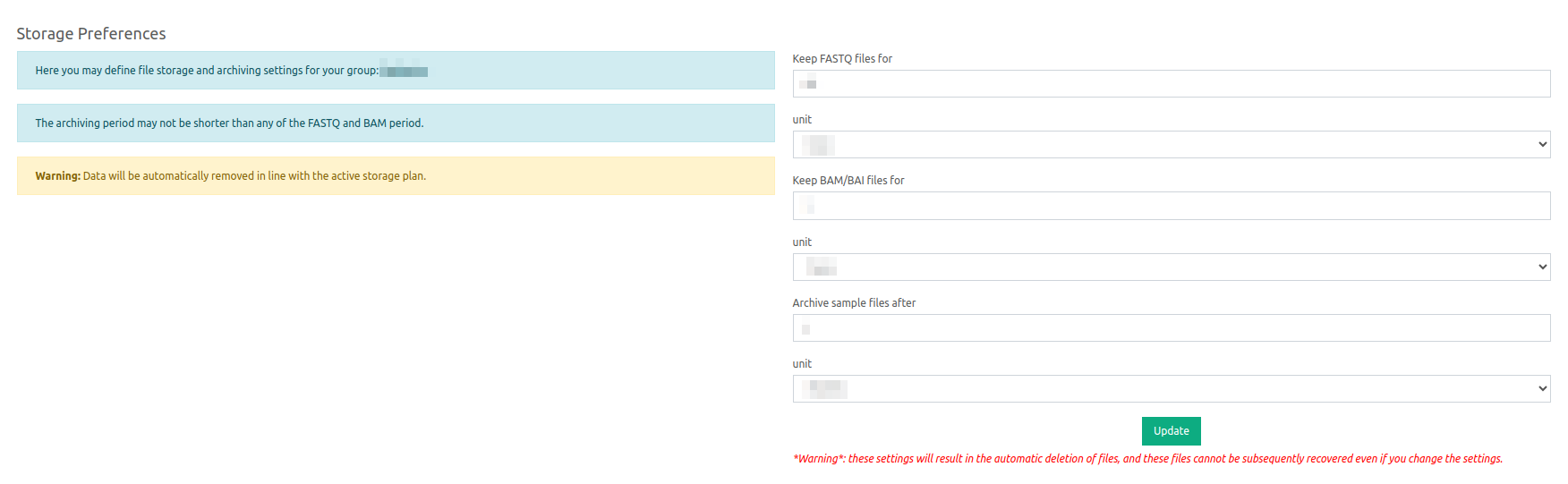
Storage preferences: modify the storage preferences of the group and decide how long to store FASTQ or BAM files for example. Find more information here.
- Email preferences: enable the email preferences for the group and decide who should continue to receive email notifications when a file upload has finished and/or an analysis has finished.

- Analysis preferences: enable the sensitive mode for CNV calling and decide whether to run VarSome Picks automatically.

- Report preferences: define a header and footer within the clinical report, with the possibility to include a company logo and an optional secondary header. Find more information about Reports here.

- Other preferences: create/modify filter sets and gene lists and share them within the group.
- Select to view or hide the main analysis from a sample. They have the option to make the results of the main analysis available again in case they have chosen to exclude secondary findings by launching their analysis with a gene list.
- Audit trail access: this keeps a record of different actions performed by the users of your group. Find more details here.
- User Roles & Permissions: Group Supervisors can structure their team workflows, assign roles, safeguard sensitive data, and ensure that each user sees and performs only what they are authorized to. Find more detailed in the document User Management - Roles & Permissions.
⚠️ Please note that users who have not been assigned a role by their group supervisor will not have access to the User Management page. This page is available only to Group Admins and the Group Supervisor, who have the necessary permissions to manage roles.
How do I know if my group has a group supervisor?
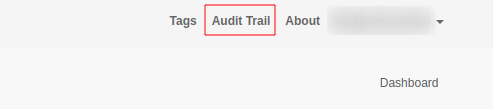
The group supervisor has access to the Audit Trail, if you are a group supervisor, you will see the Audit Trail option available a the top right corner of your VarSome Clinical view.
If you do not have a group supervisor yet or would like to change the group supervisor role to a different user, please contact our support team to change this.