![varsome-new.png]](https://docs.varsome.com/hs-fs/hubfs/varsome-new.png?height=40&name=varsome-new.png)
Please note that fusion calling is currently available only for Research Use Only (RUO).
General Information
Fusion-RNA calling can be performed by uploading RNA FASTQ files that are generated with the following assays:
-
Agilent CGP
-
Roche CGP
-
Agilent SureSelect HS XT2
-
Roche KAPA HyperPETE
- RNA-seq
Fusion calling can be performed as a standalone RNA analysis (RNA FASTQ only), or combined with DNA data for somatic analyses, including somatic single samples (DNA from VCF or FASTQ + RNA FASTQ) and tumor–normal samples (DNA from FASTQ + RNA FASTQ). This enables a more comprehensive clinical interpretation and supports improved diagnostic outcomes.
Uploading RNA-FASTQ
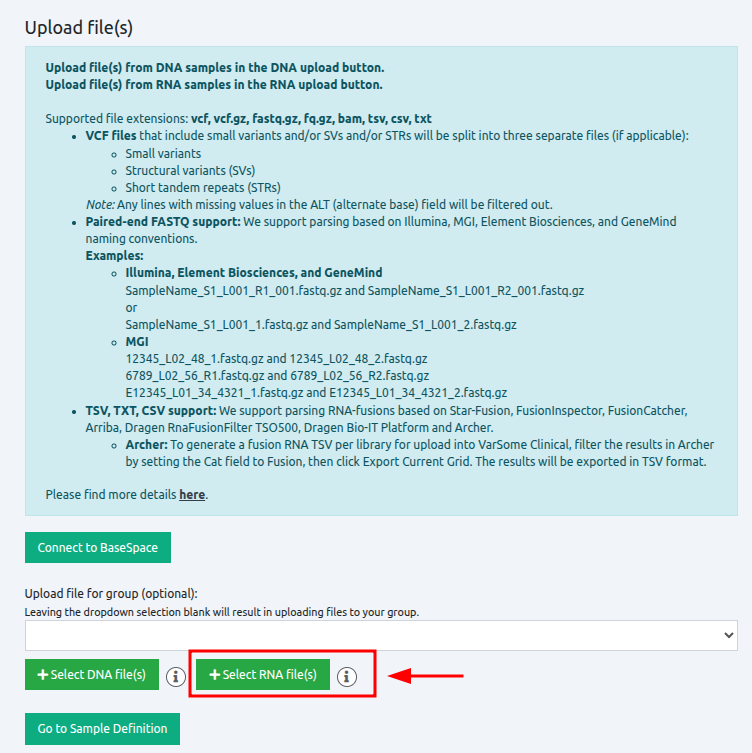
To analyze fusion RNA sequencing data, upload your FASTQ file on the VarSome Clinical Upload page.
Defining the sample
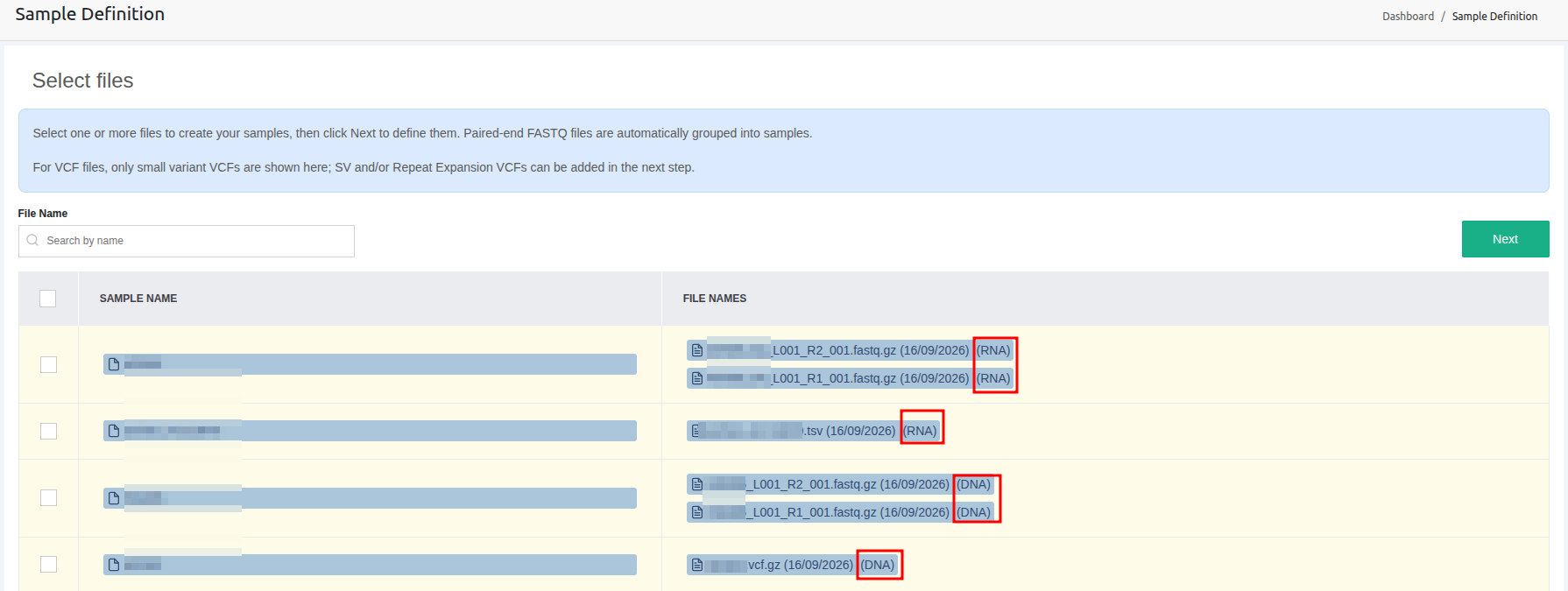
After upload, the sample appears on the Sample List page with its type (DNA or RNA) indicated.
Creating a new sample
Samples can be created from RNA FASTQ files alone, or from DNA FASTQ files with RNA FASTQ files added subsequently.
- RNA 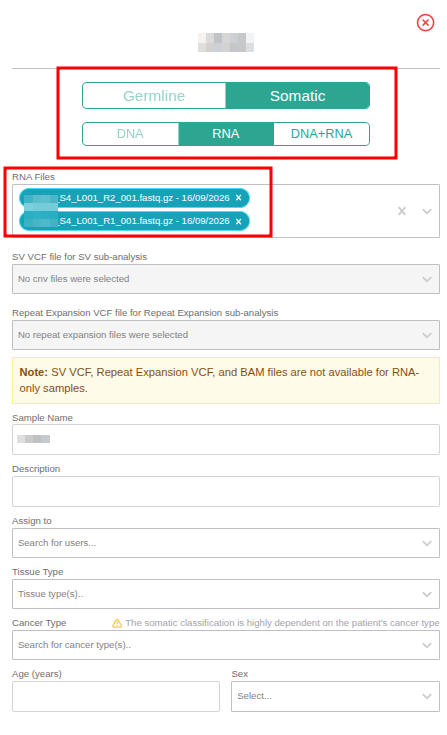
- DNA + RNA
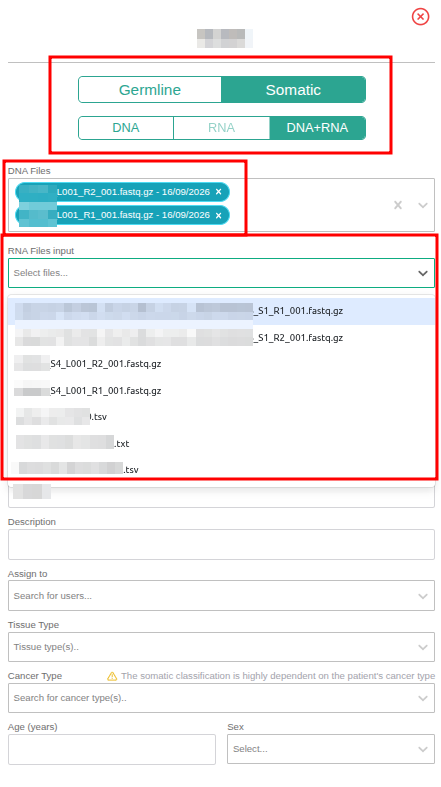
Launch an analysis
Somatic analyses that include fusion calling can be launched for RNA-only single samples, as well as for single-sample and tumor-normal analyses, by selecting either the RNA (FASTQ) or the DNA (FASTQ/VCF) + RNA (FASTQ) option.
To proceed with workflow details definition, once RNA is selected, the Analysis Type field will display only the Somatic Single Sample option. An RNA assay and Sequencer (Illumina by default) must be selected in order to continue to the next page. To create a new workflow from the Workflows page and fill the workflows details, the same steps can be performed.
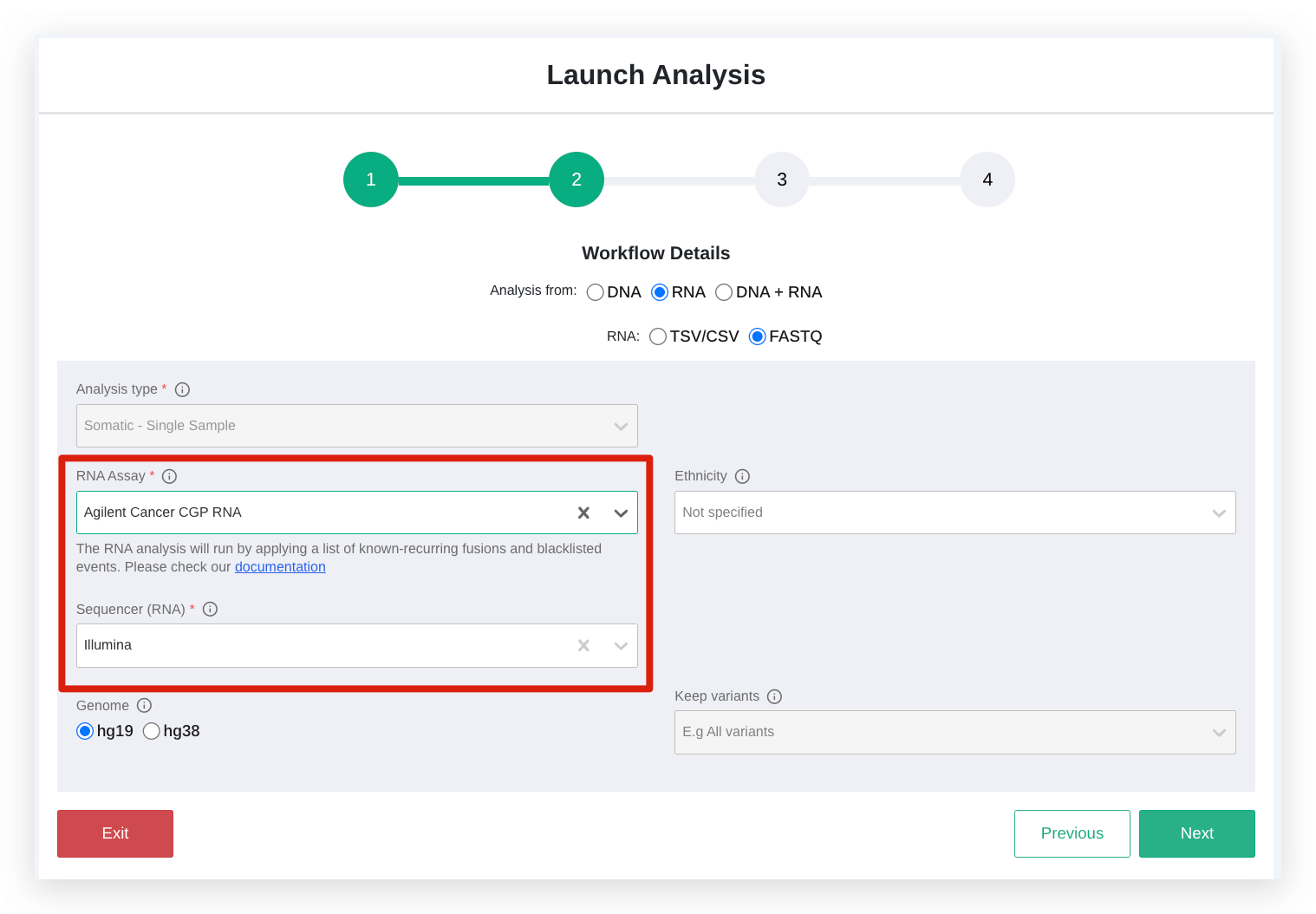
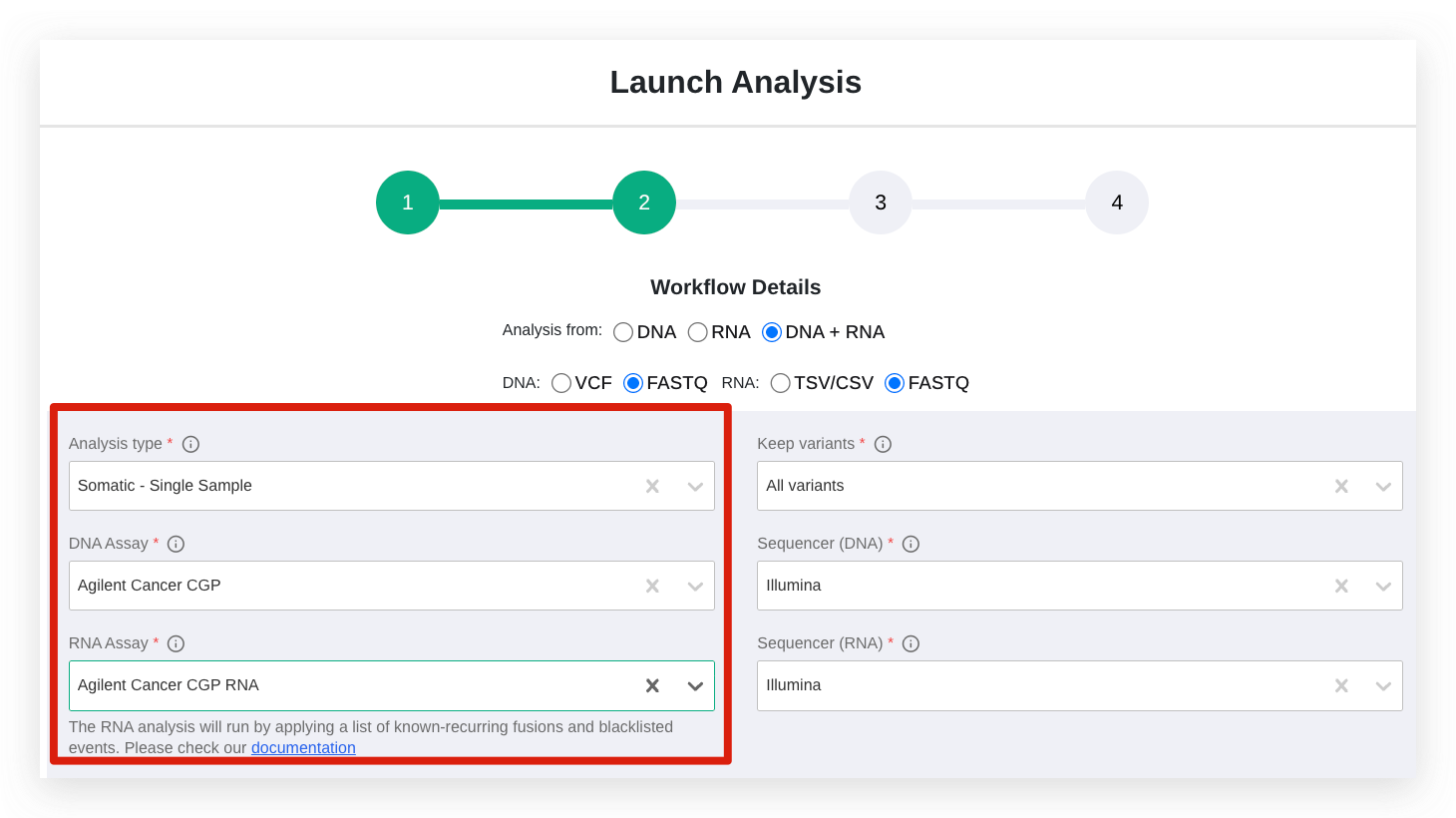
Fusion and alternative splicing variants are called using a dedicated STAR → Arriba + CTAT-Splicing pipeline, producing standardized fusion results for solid tumors. The RNA analysis will run by applying a list of known-recurring fusions and blacklisted events. Arriba applies a blacklist to remove events that are likely false positives or biologically irrelevant and uses a list of known or recurrent fusions, for which several filters are relaxed to increase detection sensitivity. This helps capture expected or clinically relevant events but may introduce occasional false positives.
Sample biomarkers
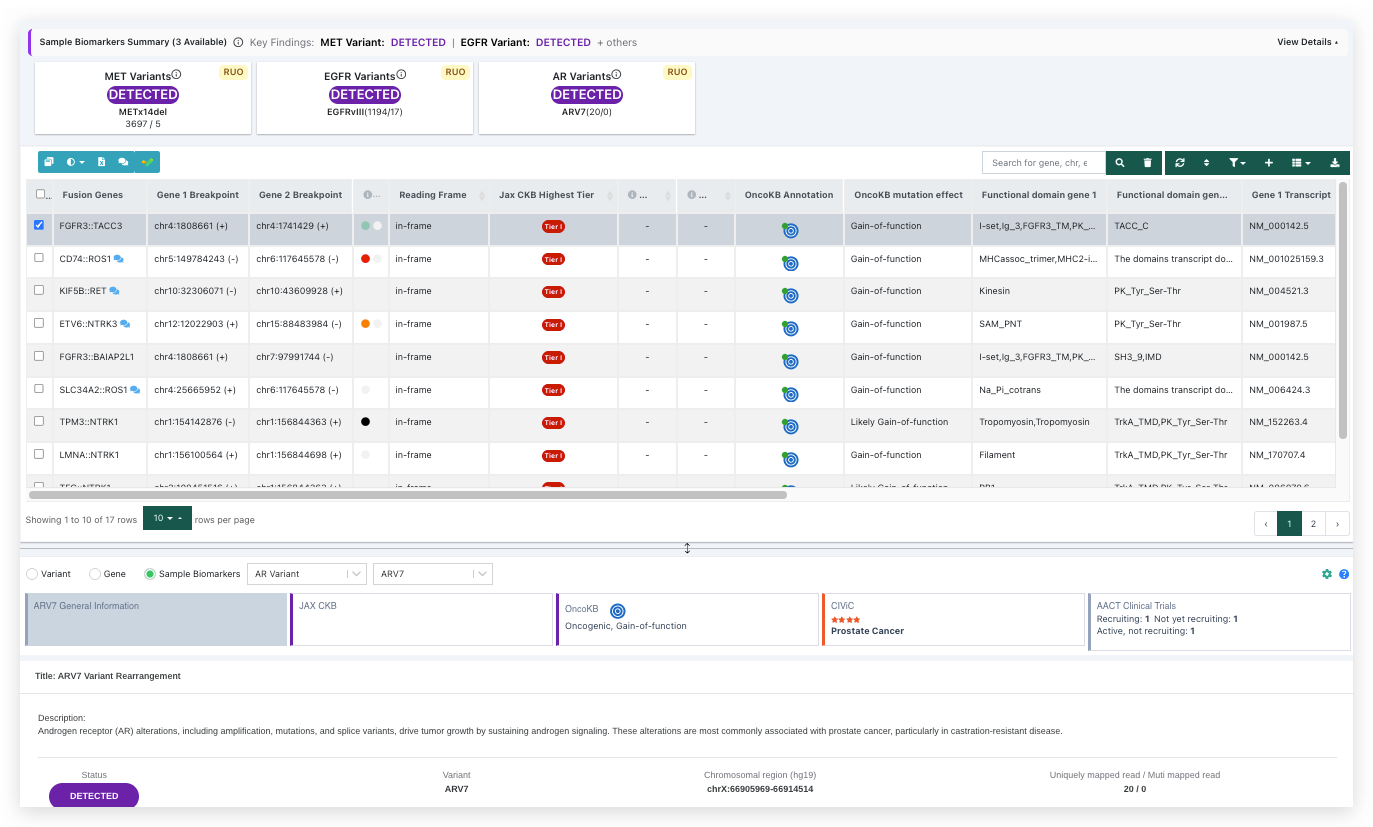
Beyond fusion detection, the pipeline also identifies key sample biomarkers, including MET exon 14 skipping, EGFR splice variants, and AR splice variants. Each biomarker is annotated with clinical evidence from CKB, OncoKB, CIViC, and clinical trials listed in AACT.
Results are presented in two places:
-
sample biomarkers appear as summary cards at the top of the page for quick reference, and
-
detected fusions are listed in a dedicated fusion table below.